Route Map Invoker Example
Files:
- maps/routemapinvoker/assets/main.qml
- maps/routemapinvoker/src/main.cpp
- maps/routemapinvoker/routemapinvoker.pro
- maps/routemapinvoker/translations/routemapinvoker.pro
Description
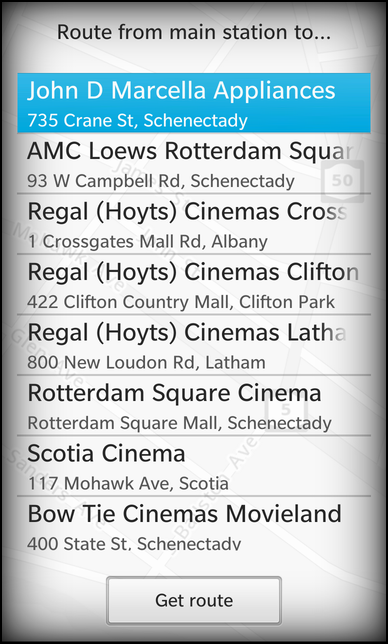
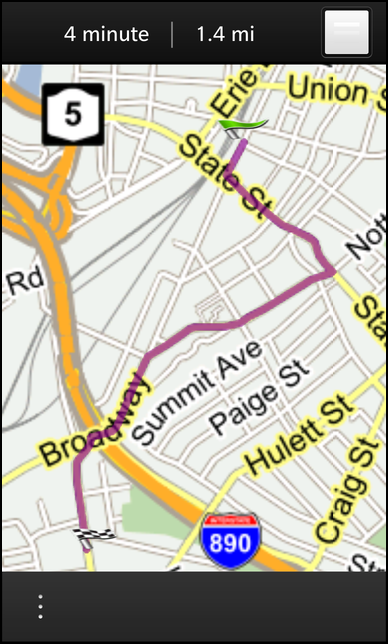
The Route Map Invoker example allows the user to select a cinema from a list and invoke the navigation application to show the route from a fixed point to the selected cinema.
Overview
In this example we'll learn how to use the RouteMapInvoker class of the BB10 framework to invoke the navigation application of the system with a preselected start and target location.
The UI
The UI of this sample application consists of one page that contains a ListView with a couple of addresses of cinemas. Whenever the user selects one of the addresses and clicks the 'Get route' button, the navigation application is invoked.
The address information of the cinemas are stored in the XML file 'cinemas.xml', which is used as source for a DataSource object. As soon as the data source has loaded the XML data and parsed out the elements underneath '/ResultSet/Result', the dataLoaded() signal is emitted. Inside the connected signal handler we clear the current data of the GroupDataModel 'cinemasModel' and fill it with the new data.
            // The data source that loads the cinema addresses
            DataSource {
                id: cinemasDataSource

                source: "cinemas.xml"
                query: "/ResultSet/Result"

                onDataLoaded: {
                    cinemasModel.clear()
                    cinemasModel.insertList(data)
                }
            },

            // The data model that contains the cinema addresses
            GroupDataModel {
                id: cinemasModel

                grouping: ItemGrouping.None
            }
The 'cinemasModel' is used as data model by the ListView on the main page. Whenever the user clicks on an item in the list, the item is marked as selected and the latitude and longitude of the selected address is set on the RouteMapInvoker object.
                // The address list view
                ListView {
                    topMargin: 50

                    dataModel: cinemasModel

                    listItemComponents: ListItemComponent {
                        type: "item"

                        StandardListItem {
                            title: ListItemData.Title
                            description: qsTr ("%1, %2").arg(ListItemData.Address).arg(ListItemData.City)
                        }
                    }

                    onTriggered: {
                        clearSelection()
                        select(indexPath)

                        routeInvoker.endLatitude = dataModel.data(indexPath).Latitude
                        routeInvoker.endLongitude = dataModel.data(indexPath).Longitude
                    }
                }
Whenever the user clicks on the 'Get route' button, the navigation application is invoked by calling the go() method on the RouteMapInvoker object.
                // The 'Get route' button
                Button {
                    horizontalAlignment: HorizontalAlignment.Center
                    topMargin: 50

                    text: qsTr ("Get route")

                    onClicked: routeInvoker.go();
                }
            }
This object is created as an attached object of the main page and its start coordinates and center coordinates are initialized with some fixed values.
            // The wrapper object to invoke the route map
            RouteMapInvoker {
                id: routeInvoker

                // Use fixed coordinates for start position ...
                startLatitude: 42.814513
                startLongitude: -73.94206

                // ... and center the map view around them.
                centerLatitude: startLatitude
                centerLongitude: startLongitude
            },